Read the bar on each ad
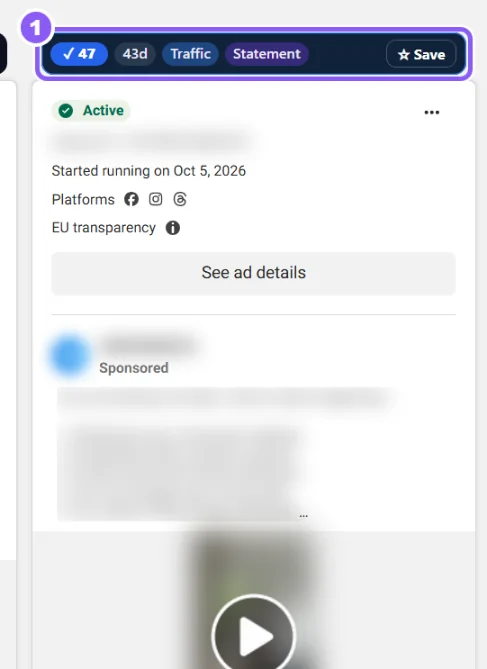
The bar (1) shows the Winner score, the days running, ×copies, the campaign goal and the hook type. Click Save to keep the ad with a note.
 All guides
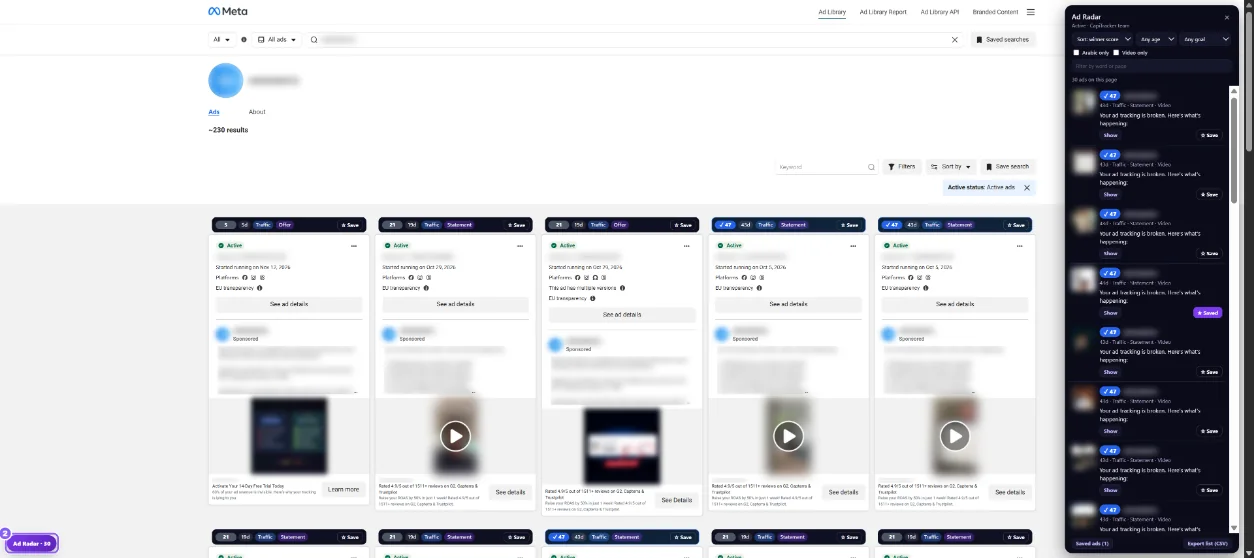
Open the Meta Ad Library, search a brand or a word, and scroll. Ad Radar adds a bar on top of every ad.
The bar (1) shows the Winner score, the days running, ×copies, the campaign goal and the hook type. Click Save to keep the ad with a note.
Click Ad Radar at the bottom left (2). Every ad on the page is listed, best first. Sort by winner score, days running, copies or newest. Filter by age, goal, Arabic only, Video only or a word. Show scrolls to the ad.
On a brand page click Scan all ads: Ad Radar scrolls until all its ads have loaded.
Click Follow. Next time you open the brand, Ad Radar shows its new, stopped and growing ads.
Export to Excel saves the list (text, headline, links, score). Download creatives saves the videos and images in Winners, Scaling and Testing folders.