Open Events Manager
Go to Meta Events Manager. You can also open it from Meta Business Suite: All tools → Events Manager.
 All guides
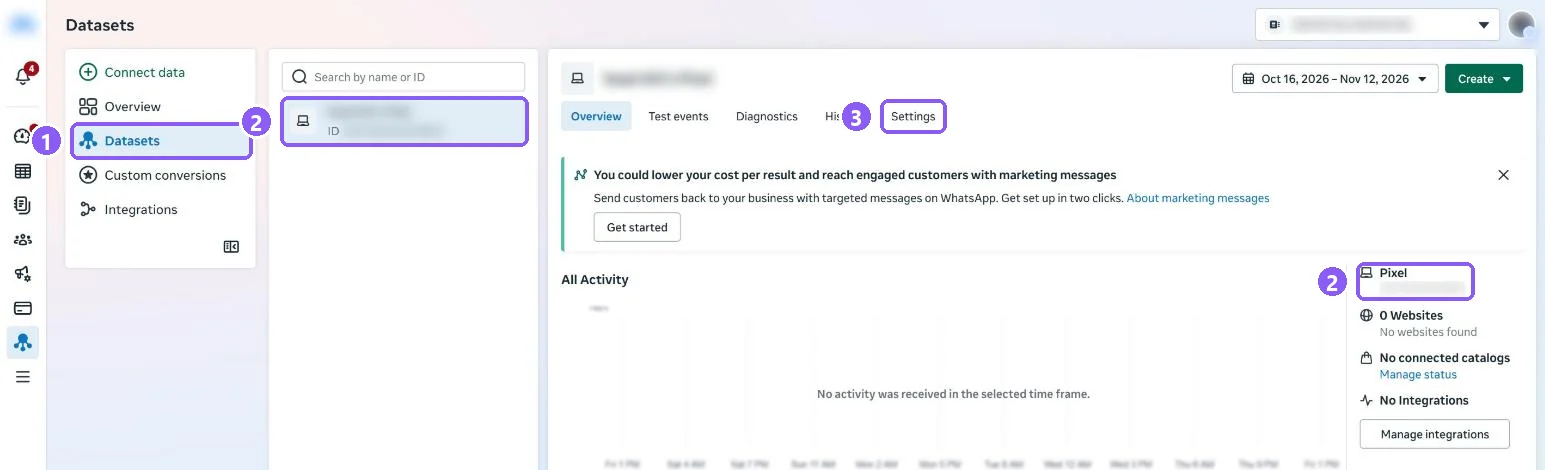
Meta now calls the pixel a dataset. Its ID is a long number. You paste it into CapiTracker when you add your store.
Go to Meta Events Manager. You can also open it from Meta Business Suite: All tools → Events Manager.
Click Datasets (1), then select the pixel you use for your store (2). The number under its name is your Pixel ID. The same number is shown on the right under Pixel.
In CapiTracker open your store, click Add credentials, choose Meta and paste the number into Pixel ID.