Open System users
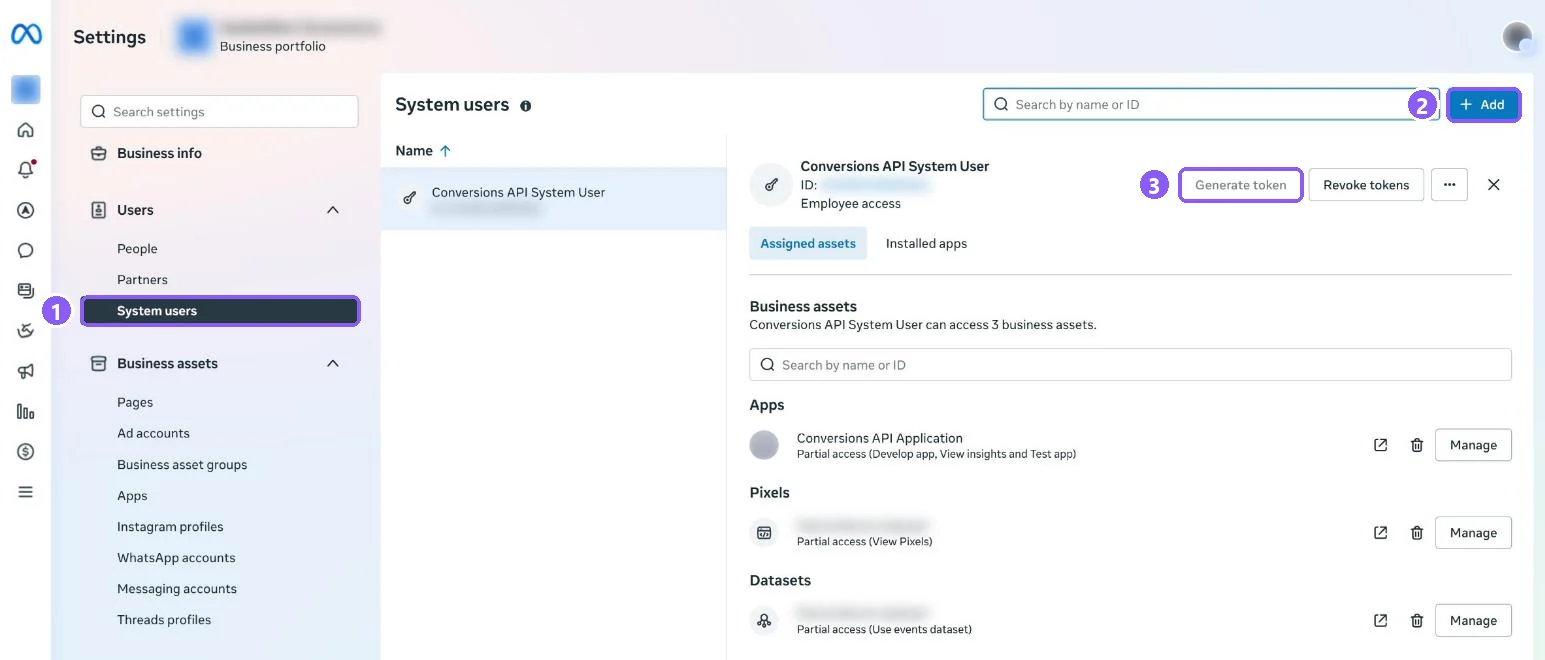
In Meta Business Suite open Settings → Users → System users (1).
 All guides
Ad reports need a token that can read your ads. A System User token belongs to your business, not to a person, so it keeps working when someone logs out or leaves.
In Meta Business Suite open Settings → Users → System users (1).
Click Add. Give it a name, for example CapiTracker, and choose Admin.
Select the new system user, click Assign assets, and add your ad account and your pixel (dataset) with full control.
Click Generate token, pick your app, tick ads_read and ads_management, then generate. Copy the token and paste it into CapiTracker with your Ad Account ID.