Choose what buyers can see
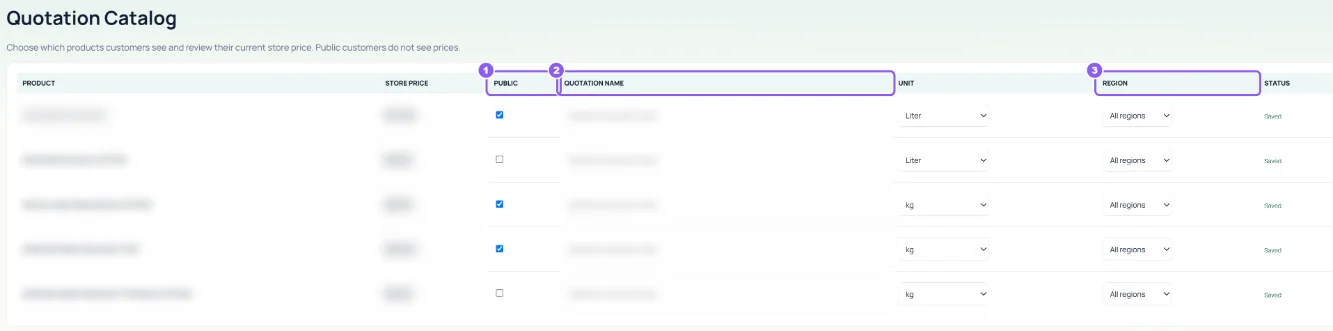
In Tools → Quotation Catalog, mark products as Public and set the Quotation name, Unit and Region. You can also do this on each product.
 All guides
Share one public link with shops and resellers. They choose products and quantities and send a request; you price it here.
In Tools → Quotation Catalog, mark products as Public and set the Quotation name, Unit and Region. You can also do this on each product.
On Quotations, click Copy link under Public quotation link and send it to buyers. Set Email new requests to and click Save email to be told about each request.
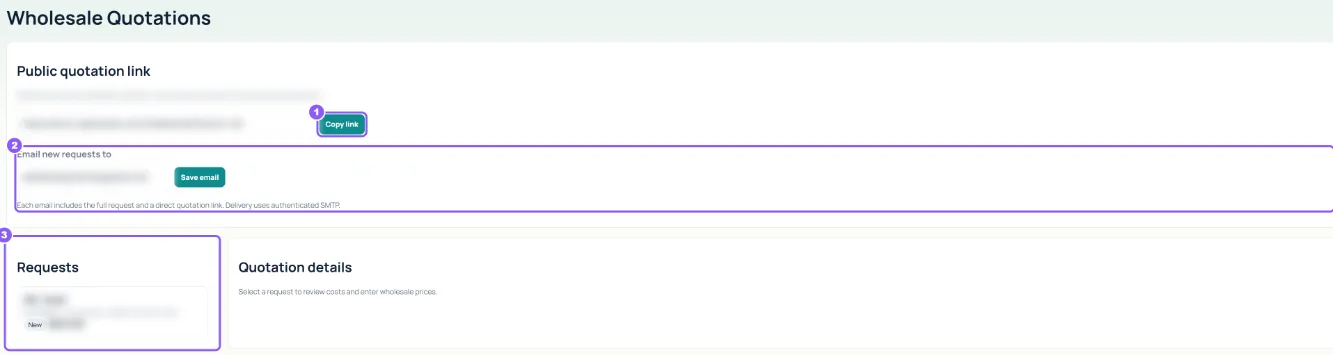
Open it under Requests. For each product you see Customer requests, Pack calculation and Your cost. Set the Offer price now, the Status and a Private admin note, then click Save quotation pricing.