Log in
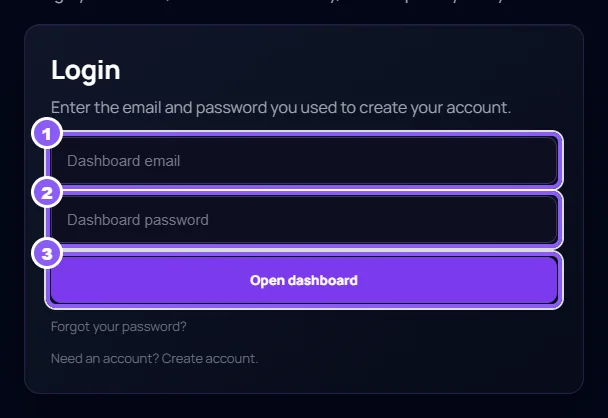
Click Login at the top of capitracker.com. Type your Dashboard email (1) and Dashboard password (2), then click Open dashboard (3).
 All guides
Log in with the email and password you used to create your account.
Click Login at the top of capitracker.com. Type your Dashboard email (1) and Dashboard password (2), then click Open dashboard (3).
Click Forgot your password? under the login form. Type the email you log in with and click Send reset link.
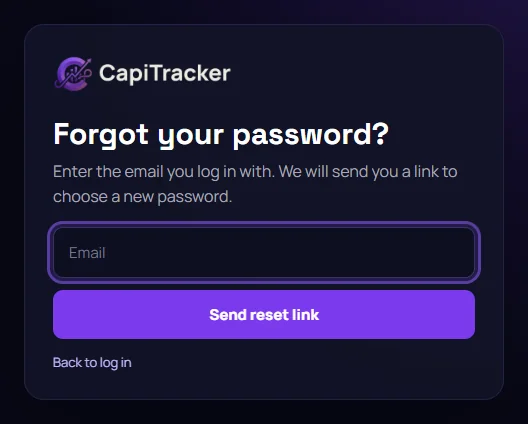
We email you a link. It works once and only for 60 minutes. No email after a few minutes? Check your spam folder.
Type the new password twice and click Save new password. Then log in with it.
You asked for many links in a short time. Wait one hour, then try again.
It is older than 60 minutes or was already used. On the reset page click Send a new link.
Use Forgot your password?: it works the same way and we email you when the password changes.