Filter the sessions
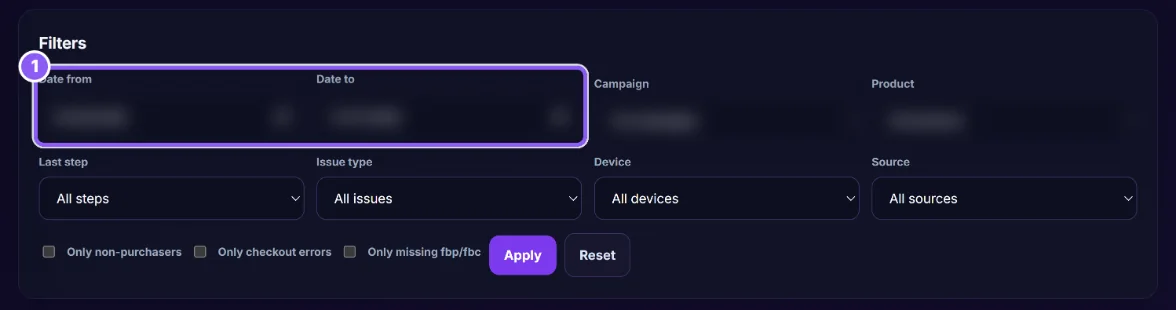
Set Date from / Date to (1) and, if you want, a Campaign, Product, Last step, Issue type, Device or Source. Tick Only non-purchasers, Only checkout errors or Only missing fbp/fbc to focus. Click Apply; Reset clears.
 All guides
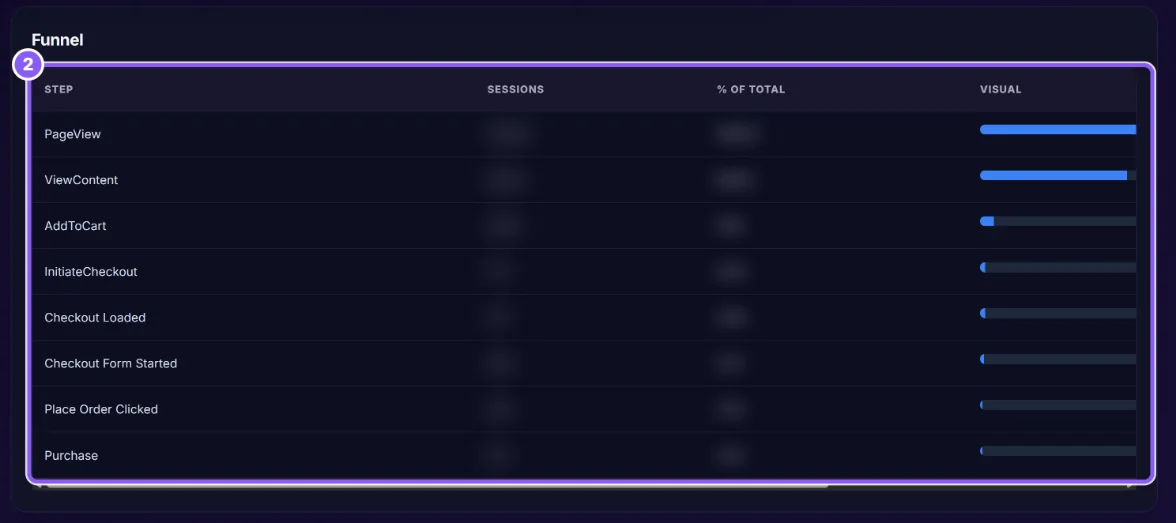
Lost Buyers follows shopping sessions step by step (PageView, ViewContent, AddToCart, InitiateCheckout, Checkout Loaded, Checkout Form Started, Payment Selected, Place Order Clicked, Checkout Error, Purchase) and shows where people drop off and why.
Set Date from / Date to (1) and, if you want, a Campaign, Product, Last step, Issue type, Device or Source. Tick Only non-purchasers, Only checkout errors or Only missing fbp/fbc to focus. Click Apply; Reset clears.
Total sessions, Purchases, Conversion rate, Add to cart rate, Checkout start rate, Checkout abandon rate, Place order failures, Checkout errors, and sessions missing fbp or fbc.
The Funnel (2) shows how many sessions reached each step. Drop-off Points shows where they stopped, with the most common product, campaign, device and checkout error.
The Sessions table lists each visit with time, source and campaign, product, cart value, last step, device, fbp/fbc, purchase and the issue found. Open shows the Session Timeline.
Open a few sessions, read the error, and test your checkout yourself with the same payment method and device.