Your sender details
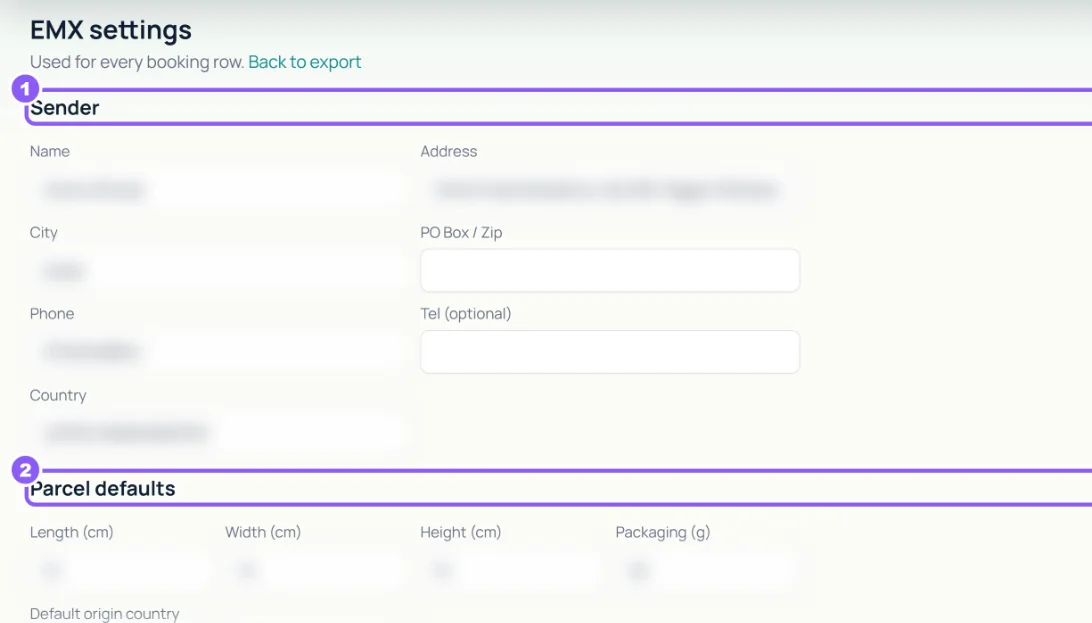
In EMX settings fill Sender (Name, Address, City, PO Box / Zip, Phone) and Parcel defaults (Length, Width, Height in cm, Packaging weight in grams). They go on every booking row.
 All guides
If you ship from the UAE to other countries with EMX (Emirates Post), Ecom fills EMX's bulk-booking workbook for you. EMX needs customs details for every product, so set those first.
In EMX settings fill Sender (Name, Address, City, PO Box / Zip, Phone) and Parcel defaults (Length, Width, Height in cm, Packaging weight in grams). They go on every booking row.
In Catalog → Customs, Show Needs attention. For each product fill HS code, Customs description, Origin country and Weight (g), then click Save customs details. Tick several rows to fill them at once and click Apply. A variation left blank uses its parent product's details.

In EMX export, filter by dates, Country, Status and Exported (Not exported), tick the orders you are booking and click Export EMX Excel. Upload the file to EMX. If an address is missing, click Fetch missing addresses from Woo.
