Pick the store
Several stores? Choose one in the Store list at the top right (1). The bar under the title shows its plan, its purchases this month and when the plan ends (2).

 All guides
Home shows what your store sent to CapiTracker and how much of it reached Meta. Use the filters to look at one day, one event or one source.
Several stores? Choose one in the Store list at the top right (1). The bar under the title shows its plan, its purchases this month and when the plan ends (2).
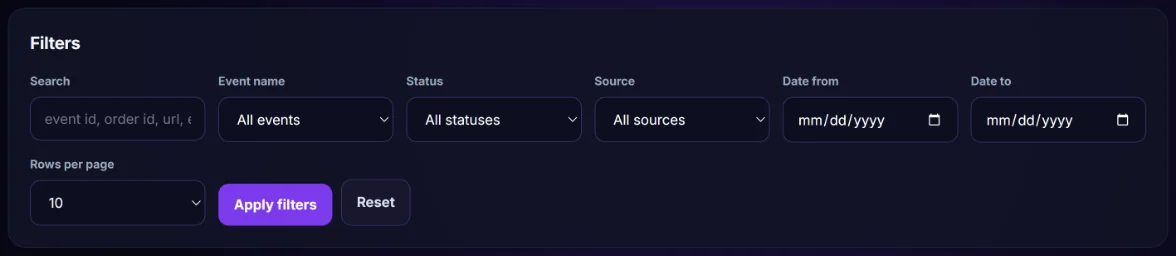
Open Filters. You can search (event id, order id, URL or error), pick an Event name, a Status, a Source, and a Date from / Date to. Click Apply filters, or Reset to clear them.
The first row (1) shows the shopping steps: visits, add to carts, checkouts and purchases, plus the conversion rate and the value tracked.
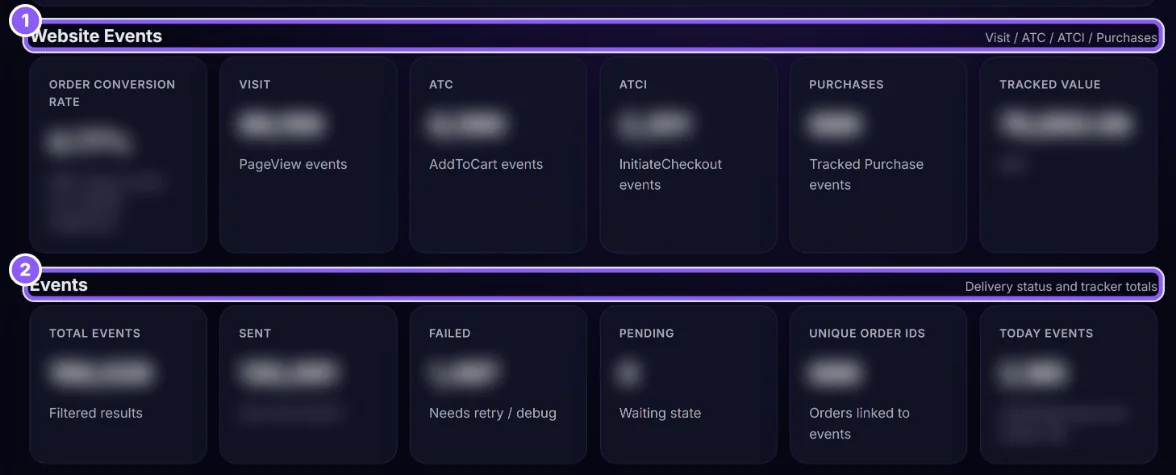
The second row (2) shows delivery: how many events CapiTracker sent to Meta, how many failed and how many wait.
WooCommerce stores also see Woo: orders that are processing, completed and cancelled.
Open Recent Order Attribution to see the latest orders with their source and the campaign that brought them.
Your store has not sent events yet. Check the store on Stores & Integrations: it should say Live or Connected. See The Stores & Integrations page.
Some active campaigns are not linked to a product yet, so profit per campaign cannot be worked out. Click Link campaign products.
The page you opened is not in your plan. Click Compare plans.