Choose dates and level
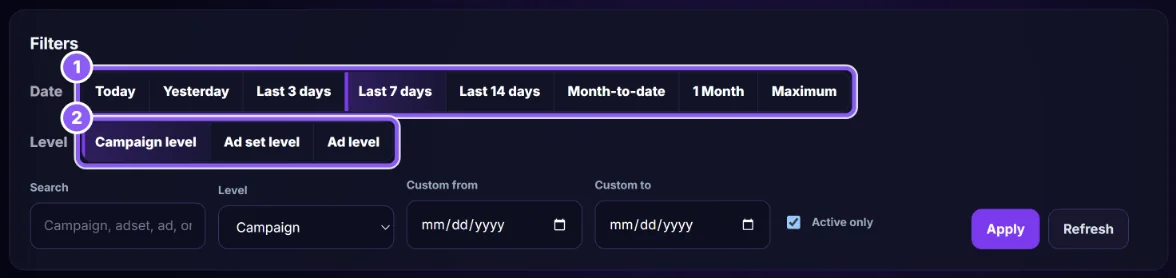
Pick a Date preset (1) (Today, Yesterday, Last 3, 7 or 14 days, Month-to-date, Maximum) and a Level (2): Campaign, Ad set or Ad.
 All guides
Daily Impact (page title Daily Budget Impact) lists each day with any budget change made that day, so you can see whether scaling helped or hurt. It reads Meta; it never changes a budget.
Pick a Date preset (1) (Today, Yesterday, Last 3, 7 or 14 days, Month-to-date, Maximum) and a Level (2): Campaign, Ad set or Ad.
Type a name or ID in Search, set Custom from / Custom to if needed, tick Active only, then click Apply. Refresh reads fresh data from Meta.
The Daily data status card (3) must be OK. Warning means the daily rows don’t add up to the total spend (some days are missing, often because of a Meta rate limit). While it says Warning, the best and worst day cards are hidden and the page is not used as evidence. Wait and click Refresh.

Budget events, Scales and Reductions count the budget changes in the period. Then read the table: each day with its Budget change, Spend, Purchases, CPA, ROAS and Revenue.
The Ads Monitor button at the top returns to the Ads Dashboard with the same filters.
From CapiTracker’s budget snapshots and from your Meta account’s activity history. You can also log a change by hand on Budget Performance.
No. One day is noise. Look for several days in a row, and confirm with real orders on the Ads Dashboard.