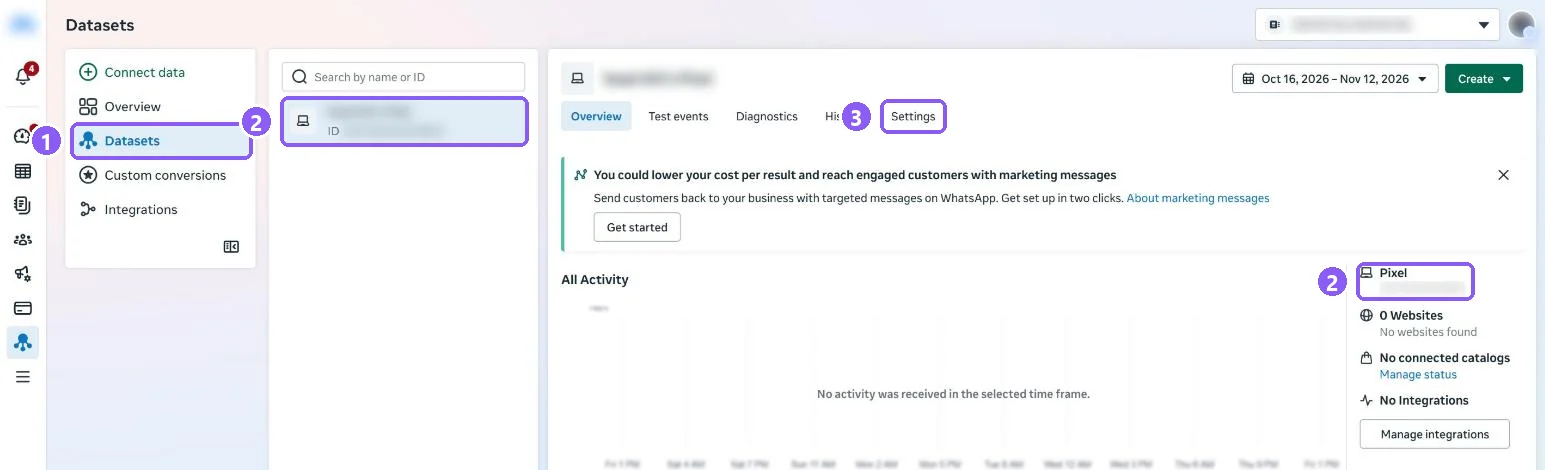
Open your pixel's Settings
In Events Manager open Datasets, select your pixel and click Settings (3).
 All guides
The access token lets CapiTracker send events to your pixel from our server (Conversions API), so Meta sees purchases even when the browser blocks the pixel. Treat it like a password.
In Events Manager open Datasets, select your pixel and click Settings (3).
Scroll down to Conversions API. Under Set up direct integration (1) click Generate access token (2).
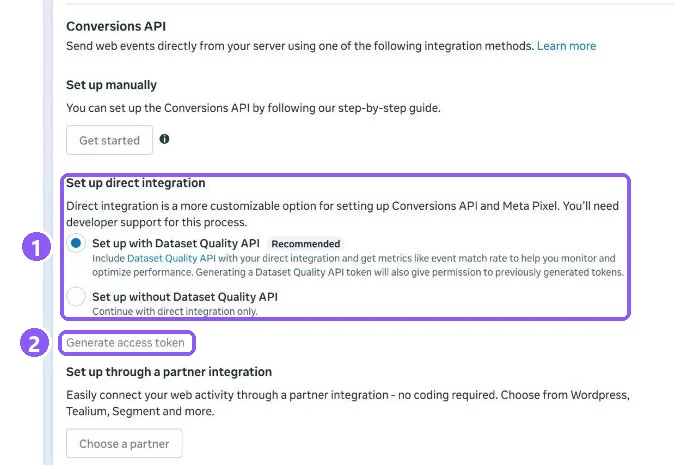
Meta shows the token once. Copy it and paste it into CapiTracker: Add credentials → Meta → Access token. Never send it by chat or email.