Open your ad accounts
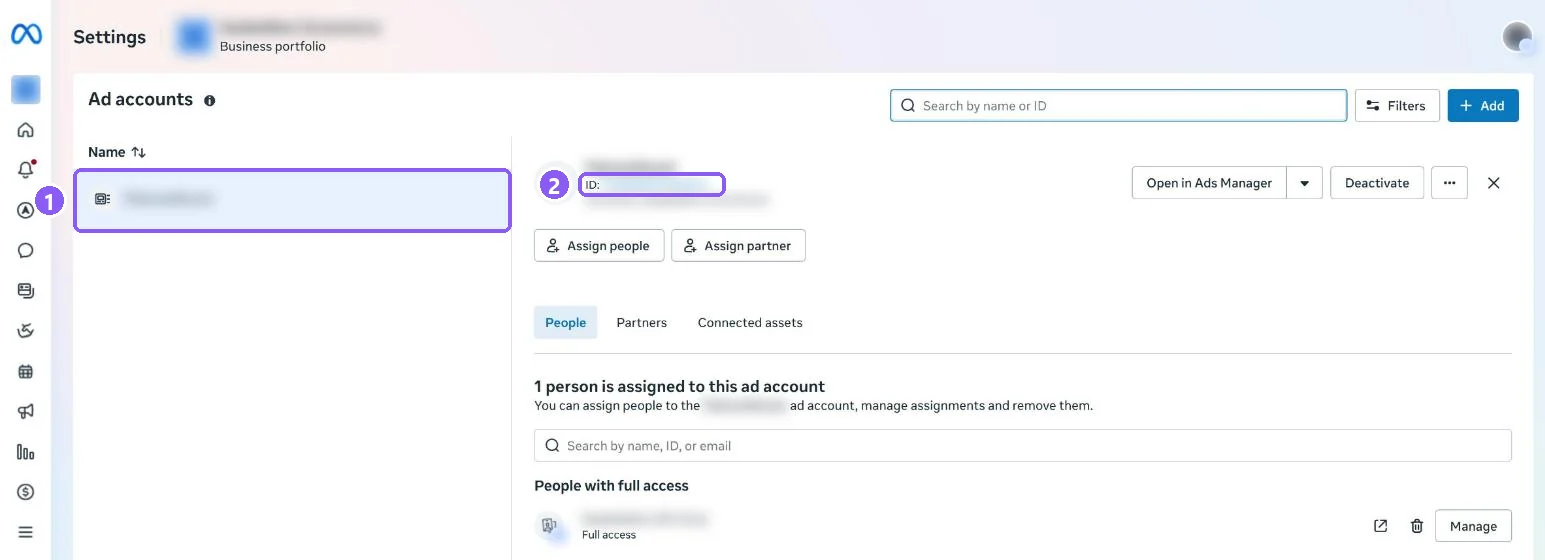
In Meta Business Suite open Settings → Accounts → Ad accounts and select your ad account (1).
 All guides
Tracking works with the pixel and token alone. Add the Ad Account ID too if you want ad reports: spend, cost per real order and profit per campaign.
In Meta Business Suite open Settings → Accounts → Ad accounts and select your ad account (1).
The number next to ID is your Ad Account ID. Paste it into CapiTracker with or without act_ in front.
act= in the address bar is the same ID.